
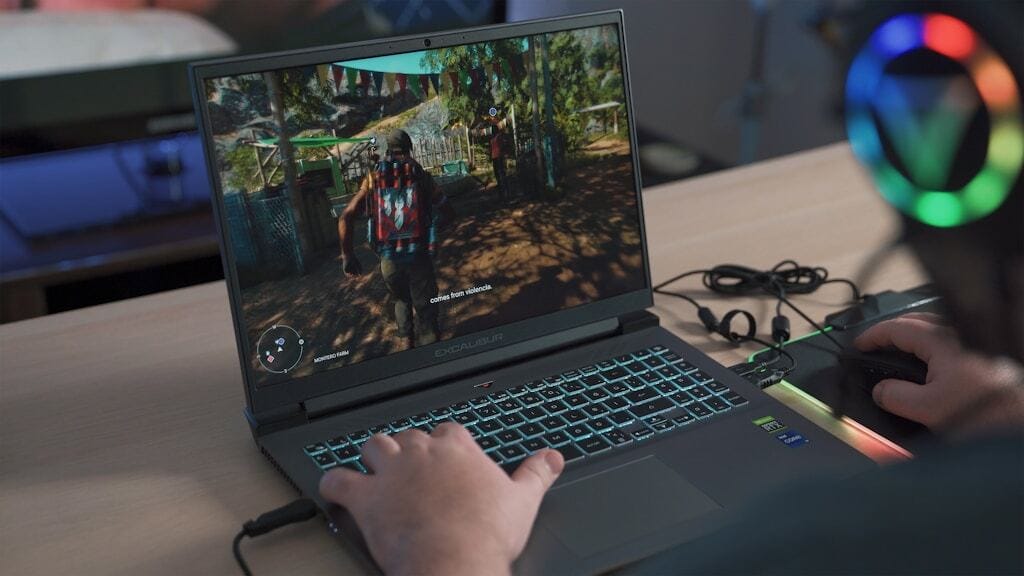
Dell Gaming Laptops: The Smart Choice. Why the G-Series is the Wise Gamer’s Secret Weapon
We are living in a golden age of PC gaming. Games are more beautiful, more complex, and more immersive than ever before. And thanks to incredible technological progress, you no longer need a “gamer cave” with a giant desktop rig to enjoy top-tier performance. The power of modern computers has been compressed into a chassis you can throw in a backpack.
But this is where the problem starts. The gaming laptop market is… a jungle. A true, wild west.
On one hand, you have the “budget” machines. They lure you in with a low price tag, but in reality, they are plastic traps. They overheat after 20 minutes of gameplay, their screens have the color accuracy of a washed-out t-shirt, and that “promotional” graphics card is barely breathing under the weight of a new game. On the other end of the spectrum, on top of Mount Olympus, sit the gods of gaming. Machines like Alienware, which look like they were designed by an alien civilization, cost a fortune, and glow bright enough to light a small city.
Somewhere in the middle of this chaos is the average gamer. A person who works hard for their money. Someone who loves games but doesn’t necessarily want their laptop to look like a prop from a sci-fi movie. Someone who wants value. Someone who wants intelligent power.
And this is where the hero of our story enters the stage: Dell Gaming G-Series laptops.
For years, Dell has been running a brilliant, two-pronged strategy. Alienware is their Formula 1 team—the absolute peak of technology, with no expense spared, a laboratory for innovation. And the G-Series (G15, G16)? That’s their World Rally Championship (WRC) team. Built on the same technology, with the same winner’s DNA, but designed to win in the real world. To be durable, to be hellishly fast, and—most importantly—to be accessible.
If you’re looking for a new gaming laptop, forget everything you know for a second. Sit back. This is the story of why the Dell G-Series is probably the smartest, most well-thought-out purchase you can make in the world of gaming.
Part 1: The Alien DNA. What Is the G-Series, Really?
To understand why the Dell G-Series laptops are so good, you have to understand where they come from. They are not a “budget brand” from Dell. They are Dell. More importantly, they are the direct descendants of Alienware.
This isn’t just marketing. The same engineers who design the multi-million dollar Alienware Cryo-tech cooling systems are the same people who then sit down at the drawing board to design the thermals for the G-Series.
The “Trickle-Down” Technology Effect
In the auto industry, technologies from F1 (like hybrids, traction control) eventually find their way into your family car. The same thing happens at Dell, only much, much faster.
- Thermal Management: The biggest challenge in gaming laptops is heat. Alienware is famous for solving this problem. That knowledge—how to design vapor chambers, how to lay out copper heat pipes, how to shape fan blades for maximum airflow with minimum noise—is directly transferred to the Dell G15 and Dell G16.
- Build Quality: G-Series laptops aren’t built from exotic magnesium alloys like their more expensive cousins, but they are solid. Dell knows how to build laptops that last for years (just look at their Latitude business line). The G-Series is built like a tank—solid hinges, a rigid chassis, and a keyboard that will withstand millions of taps on the WASD keys.
- The Software: The brain of the operation is the Alienware Command Center. This isn’t some simple little program. It’s a comprehensive command hub that lets you fine-tune performance profiles, set fan curves, manage your lighting, and squeeze every last drop of performance out of your machine.
When you buy a Dell G-Series laptop, you are not buying a compromise. You are buying 90% of Alienware’s engineering for a much saner price. You are paying for performance, not for the flashiest design and the brightest LEDs.
Part 2: Anatomy of the Beast. What’s Really Giving You the Power?
A spec sheet can be boring. “Intel Core i7, 16GB RAM…” Yawn. Let’s talk about what those numbers really mean for your gameplay.
The Heart (CPU): Intel vs. AMD. The Brain of the Operation
Your gaming laptop needs a brain. The CPU (processor) isn’t just an add-on for the graphics card. It manages the operating system, the in-game physics, the enemy AI, your Discord chat in the background, and your Twitch stream.
Dell Gaming laptops wisely use the latest Intel Core (H-series) and AMD Ryzen (HS/HX-series) processors. These are not the “low-voltage” processors from thin ultrabooks. These are mobile beasts with plenty of cores and high clock speeds.
- Intel (e.g., Core i7-13650HX, i9): Traditionally the king of single-core performance, which is crucial in many games.
- AMD (e.g., Ryzen 7 7840HS): Often offer fantastic multi-core performance and great power efficiency.
Human Advice: Don’t go crazy. For gaming, anything from a modern Core i5 / Ryzen 5 (H-series) and up, when paired with a good GPU, will crush it.
The Soul (GPU): NVIDIA RTX. The Magic You Can See
This is the single most important component for a gamer. Period. The graphics card (GPU) is what draws every single frame you see on the screen. The Dell G-Series bets on the king: NVIDIA GeForce RTX 40-Series.
We’re talking RTX 4050, 4060, 4070, and up. What do they mean?
- Raw Power: They’re just plain fast. The RTX 4060 is the absolute “sweet spot”—the perfect balance of price-to-performance that will devour virtually any game at 1080p and handle 1440p (QHD) beautifully.
- Ray Tracing (RT): This is the “WOW” factor. This is the tech that creates hyper-realistic lighting, shadows, and reflections. Once you see the light bouncing off a puddle in Cyberpunk 2077 with RT on, there’s no going back.
- DLSS 3 (Deep Learning Super Sampling): This is black magic from NVIDIA and the single most important reason to buy a 40-Series card. In short: the game is rendered at a lower resolution (e.g., 1080p), and Artificial Intelligence (AI) scales it up to a higher resolution (e.g., QHD) in real-time AND generates additional, “fake” frames. Sound complicated? The effect is simple: you get a MASSIVE boost in frames-per-second (FPS) with minimal (and sometimes zero!) loss in image quality. It’s like getting a free engine-tuning for your car.
Human Advice: If you have a choice, always spend a little more of your budget on a better GPU. An RTX 4060 is an investment that will pay off for years.
The Eyes (The Screen): Your Window to the World
You can have a fusion reactor in your laptop, but if you’re looking at a dim, washed-out 60Hz screen, all that power is wasted. Dell understands this.
The Dell G15 and G16 offer screens worthy of these components, especially as modern titles become more cinematic and visually dense. Even expansive RPGs like the Xenoblade 3 PC Game benefit hugely from sharp QHD panels and high refresh rates that bring their vibrant worlds to life.
- Refresh Rate (Hz): 120Hz, 165Hz, or even 240Hz. Forget 60Hz. That’s an office standard. 120Hz and up is the absolute baseline for gaming. The image is buttery-smooth, your reactions feel faster, and your aim becomes intuitive. You can see the difference with your naked eye, instantly.
- Resolution (FHD vs. QHD):
- FHD (1920×1080): The proven standard. Easy for the GPU to “drive,” which gives you high FPS. Perfect for esports.
- QHD (2560×1440): The new “sweet spot,” especially on the 16-inch screens of the Dell G16. The image is incredibly sharp and detailed. Thanks to the magic of DLSS 3, gaming at QHD is now completely viable, even on mid-range cards.
- Response Time (ms): This is important. G-Series laptops have fast panels (e.g., 3ms), which means no “ghosting” (smearing) behind fast-moving objects.
Part 3: The Most Important Ingredient. The Cooling That Saves Your Game
Let’s talk physics. Your powerful CPU and GPU, when running at 100%, generate an enormous amount of heat. If you can’t get that heat out, the components have to “throttle” (thermal throttling)—they intentionally slow themselves down to keep from melting.
The conclusion: A hot, fast laptop is just a slow laptop.
This is the failure point of 90% of cheap gaming laptops. They have great-looking specs on the box, but their cooling system is a joke. After 15 minutes of gaming, your “performance monster” turns into a hot toaster with terrible FPS drops. Anyone who has tried running a demanding title like Far Cry 6 on a PC with inadequate cooling knows exactly how quickly performance can tank once the temperatures spike.
And this is where the Dell G-Series shows its Alienware heritage. These laptops are built for cooling. Are they a little thicker and heavier than a thin ultrabook? Of course! And thank goodness for that. That extra space is filled with:
-
- A dual-fan system Large, high-RPM, with specially shaped blades.
- Thick copper heat pipes: Which act like highways to pull heat away from the CPU and GPU.
- Vapor Chambers: In top-tier models, an even more efficient cooling technology.
- Intelligent Vents: Air is pulled in from the bottom and (often) from above the keyboard, and hot air is blasted out the back and sides—away from your hands.
The “G” Button: Turbo When You Need It
Most G-Series laptops have a dedicated “G” button (or F9). This is your “beast mode” switch. One press, and the
Alienware Command Center sets the performance profiles to “Max” and cranks the fans to 100%. The laptop gets louder, but performance jumps and temperatures drop. It’s perfect for a tough raid session or an intense boss fight.
Part 4: Living with the G-Series. All the Other Stuff That Matters
You’re buying a laptop, not just a collection of components. The whole experience matters.
The Design: The “Muscle Car” of the Laptop World
The G-Series design isn’t subtle, but it is purposeful. It’s not an elegant ultrabook you can hide in a boardroom. It’s more of a “stealth bomber” or an American “muscle car.” It has bold lines, large vents that look like jet engines, and a solid, slightly aggressive stance. It says, “I’m not here to check email. I’m here to play.” And most importantly—it’s solid.
The Keyboard and Ports: The Tools of the Trade
The keyboard is comfortable. It has good key travel, backlighting (often RGB, though more subdued than Alienware), and a dedicated number pad (on 15-inch+ models). You can not only game on it, but you can also type comfortably.
And the ports? Dell knows gamers need ports.
- HDMI 2.1: To connect a modern 4K 120Hz TV.
- An Ethernet (RJ45) Port: Because in online gaming, a stable, wired connection is what counts, not just Wi-Fi!
- Plenty of USBs: Including fast USB-C.
This is a laptop you don’t need to buy a dozen dongles for.
Upgradability: The Laptop That Grows With You
This is a HUGE advantage. Unlike a-soldered-shut ultrabook, most Dell G-Series models (like the G15) are designed to be upgraded by you.
- Two RAM Slots: Bought it with 16GB? In two years, you can add another stick and have 32GB.
- Two M.2 SSD Slots: Bought it with 512GB? Games are getting huge (we’re looking at you, Call of Duty…). No problem. You open the back panel and add a second, fast NVMe drive just for games.
This turns the G-Series laptop from a 2-year purchase into a 4, 5, or even 6-year investment.
The Final Verdict: The Smartest Gamer in the Room
Let’s go back to our dilemma. You can buy the cheap laptop that will disappoint you. You can spend a fortune on the trophy machine.
Or, you can be the smart gamer.
You can choose a Dell Gaming G-Series laptop.
You’re choosing a machine that has the Alienware engineering DNA without the Alienware price tag. You’re choosing powerful components, like an NVIDIA RTX 4060 with the magic of DLSS 3. You’re choosing a 165Hz screen that makes your games look buttery-smooth.
But most importantly, you are choosing the cooling. You are choosing stability. You are choosing a machine that is built like a tank and that you can upgrade in the future.
It’s not the flashiest laptop at the party. But it’s the one you can rely on. It’s the one that delivers performance, frame after frame, hour after hour. It is the intelligent choice. It is your reliable partner for winning.

Samuel
I am a writer and lover of life. I fell in love with books at the age of 5 and wrote my first short storybook at the age of 16. I've also been a freelance writer for over 5 years and written content in niches such as Technology, iGaming, Marketing, Project Management, Travel, Lifestyle, Personal Development, and SEO. When I'm feeling adventurous, I love traveling and discovering new places and scenery. But when my calm, reflective side takes over, you'll find me snuggled up at home with a good book and a cup of tea.
View all articles