

Dying Light 2: Stay Human – Weapon Modification / Upgrade Guide
A feature from the original Dying Light, weapon modifications, has been included in the sequel. The process has remained mostly unchanged in Dying Light 2, although the modifications themselves have been tweaked to reflect the changes in gameplay. In addition, the procedure of putting them on a weapon has changed a little bit.
Installing a mod requires a blueprint.
Once you obtain a blueprint, you’ll also need the resources to construct the mod. Once you’ve collected what you need, you can add the weapon mod to your beloved weapon. The number of modifications you can add to a weapon will depend on its tier.
Weapon Modification / Upgrade
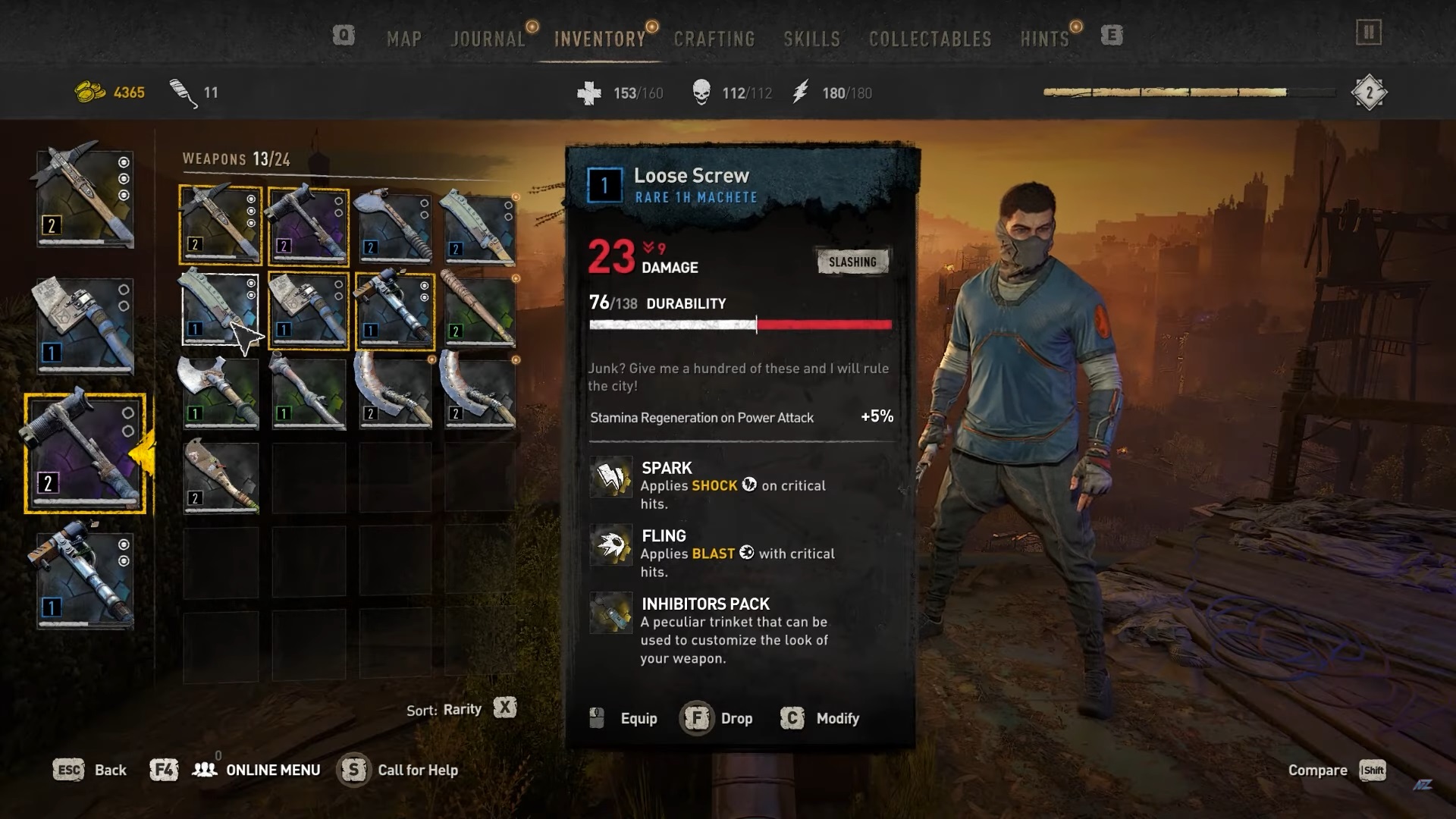
The Shock Mod is the very first weapon modification that you will be able to create and apply to various weapons. In addition to doing additional damage, this design offers a tiny possibility to shock a zombie with a bolt of lightning.
Screengrab Courtesy of NorZZa
RELATED: Dying Light 2: Stay Human – How To Repair Your Weapons
In order to use it, just select a weapon from your arsenal. Then, select “Modify”. You may then choose any weapon mod you have the blueprint for. In order to produce the blueprint, just press and hold the interact button. This will make it permanently attached to your weapon.
Blueprints and Crafting Materials
Crafting a blueprint takes a particular amount of resources. Obviously, more resources are required for greater mods. Do not connect blueprints to mediocre weapons in order to prevent exhausting your supply. Remember that any modification is permanent!
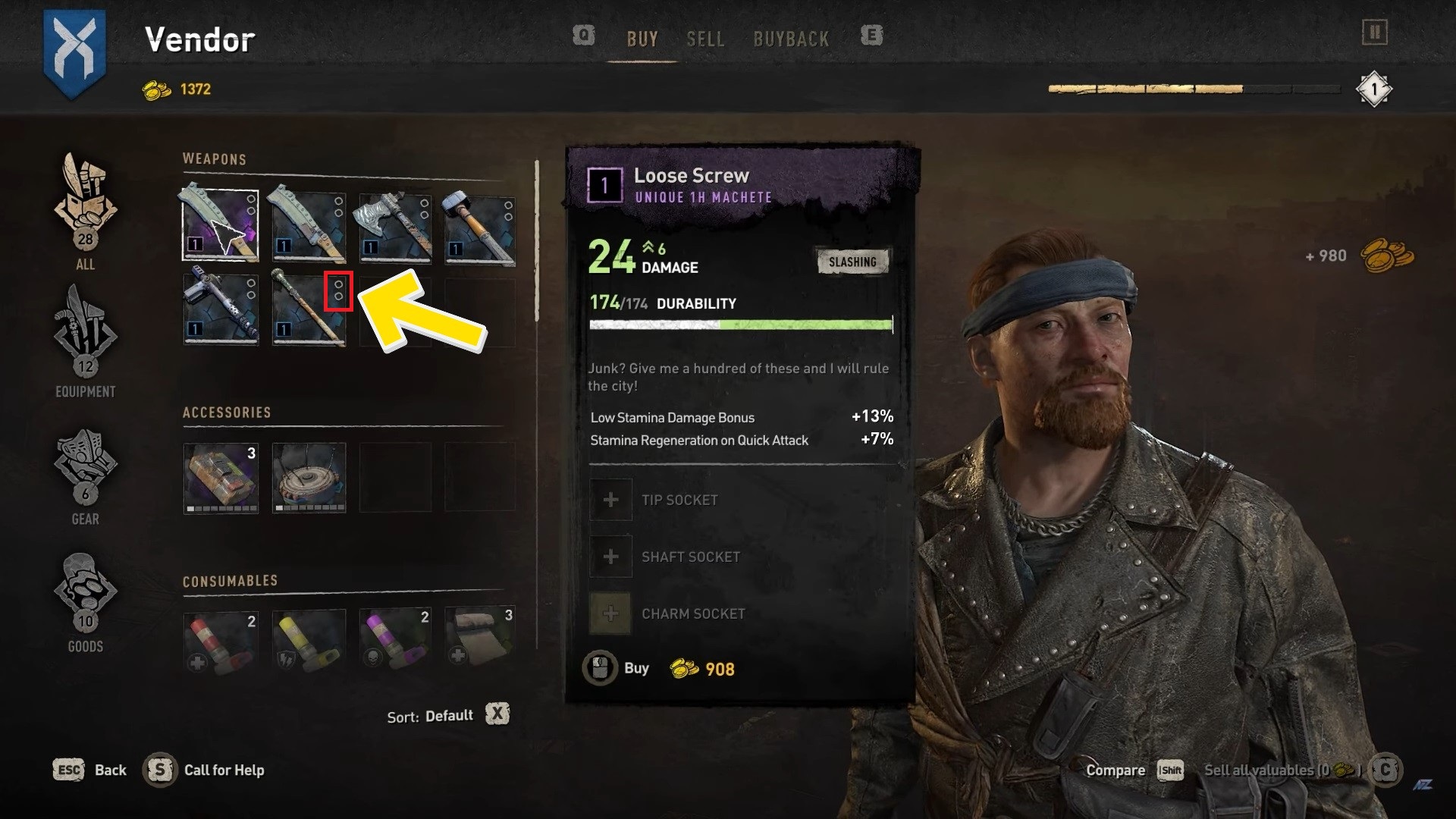
By looking at the number of circles next to a weapon, you will be able to identify how many mods you can make on that weapon. If a weapon has three circles, it may be upgraded with three unique attachments. Blueprints are scattered all over the map, so start exploring!
Screengrab Courtesy of NorZZa
RELATED: Dying Light 2: Stay Human – How To Enable Fast Travel
If you have any questions regarding Dying Light 2, feel free to ask in the comments below. For more content, stay with us, here at Spiel Times.
Make sure you also subscribe to our push-notifications and never miss an update from the world of video games. Follow us on Twitter @spieltimes for the latest PS5 restock and drop. Until next time, Stay Safe and Happy Gaming!

JC Paredes
Since March 2021, I've worn two hats at Spiel Times: a writer and a Managing Editor. In my writing role, I've earned recognition from Wikipedia and Nev Schulman (Catfish TV Show host) for my insightful analysis and engaging narrative style. I'm passionate about all things gaming, with a keen eye for detail and a knack for uncovering hidden secrets within games. My gaming journey began at a young age, captivated by titles like Resident Evil and Tomb Raider. Today, I enjoy exploring open-world RPGs and MMORPGs, consumed by their lore and crafting theories about their narratives. I'm also drawn to the suspenseful atmosphere of horror games and the intricate narratives of crime-themed titles, bringing a unique perspective to my writing. Beyond gaming, I have a fascination with anything unexplained and chilling, a passion that often spills over into my exploration of horror games. When I'm not engrossed in a virtual world, you can find me curled up and spending time with my adorable doggy sidekick, Teemo. As Managing Editor, I'm committed to fostering a collaborative and supportive environment for our writing team. I communicate openly with my team members, addressing any content-related issues and providing guidance to help them excel.
View all articlesRelated Articles
View All
Dell Gaming Laptops: The Smart Choice. Why the G-Series is the Wise Gamer’s Secret Weapon
We are living in a golden age of PC gaming. Games are more beautiful, more complex, and more immersive than...

Sims Rival InZOI Announces Official Release Date After Unexpected Delay
The highly anticipated life simulation game InZOI has officially announced its Early Access release date after an unexpected delay, much...
AMD Ryzen 7 9800X3D Sells Out as Scalpers Surge Prices to $999
The AMD Ryzen 7 9800X3D, the latest in AMD’s lineup of high-performance gaming CPUs, has sparked a frenzy among enthusiasts...