
Valorant Van 135 Error Easy Fix
The fix for the Van 135 Error Code is a source of debate among the Valorant fans. That is to say, many players don’t know how to deal with a problem when one arises, and it isn’t their fault. There isn’t a single word about Van 135 on the Valorous support website. Luckily, there are a few easy actions you can take to resolve Error Van 135, which we’ll tell you in this article.
Van 135 Error Quick Fix
- The only legitimate way to solve the Valorant Van 135 error is to reboot your computer and the Riot client. This will usually resolve many people’s issues. But don’t panic if it continues; we’re not finished yet!
- The next step will be to uninstall Valorant as well as, more crucially, Riot Vanguard entirely. After you’ve done that, you’ll need to reinstall both Vanguard and Valorant from scratch. This appears to resolve the Van 135 Error for the majority of gamers.
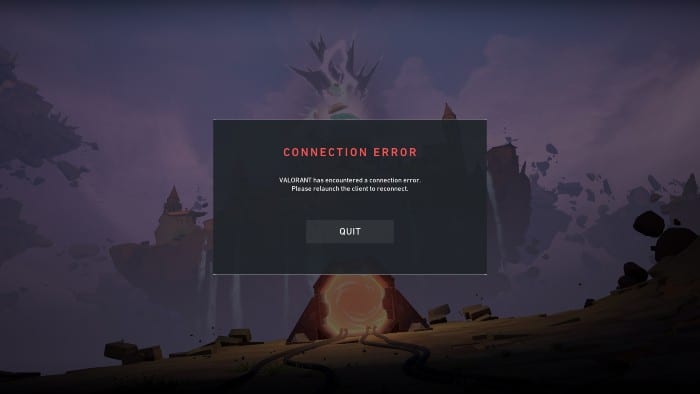
What if it doesn’t work?
If the measures outlined above don’t work for you, you’re in a tricky situation. There doesn’t appear to be any formal remedy; indeed, the error isn’t mentioned on Valorant’s support webpage.
So, if our Valorant Van 135 error remedy doesn’t succeed for you, our best recommendation is to notify Riot Support and file a bug report. You won’t be able to do much else besides that. Please let us know if you come across any other solutions in the comments section. This will surely help your fellow player, so spread the word!
If you have any questions regarding Valorant, feel free to ask in the comments below. For more content related to Valorant, stay with us, here at Spiel Times.
Make sure you subscribe to our push-notifications and never miss an update from the world of video games. Until next time, Stay Safe, Wear A Mask, and Happy Gaming!

JC Paredes
Since March 2021, I've worn two hats at Spiel Times: a writer and a Managing Editor. In my writing role, I've earned recognition from Wikipedia and Nev Schulman (Catfish TV Show host) for my insightful analysis and engaging narrative style. I'm passionate about all things gaming, with a keen eye for detail and a knack for uncovering hidden secrets within games. My gaming journey began at a young age, captivated by titles like Resident Evil and Tomb Raider. Today, I enjoy exploring open-world RPGs and MMORPGs, consumed by their lore and crafting theories about their narratives. I'm also drawn to the suspenseful atmosphere of horror games and the intricate narratives of crime-themed titles, bringing a unique perspective to my writing. Beyond gaming, I have a fascination with anything unexplained and chilling, a passion that often spills over into my exploration of horror games. When I'm not engrossed in a virtual world, you can find me curled up and spending time with my adorable doggy sidekick, Teemo. As Managing Editor, I'm committed to fostering a collaborative and supportive environment for our writing team. I communicate openly with my team members, addressing any content-related issues and providing guidance to help them excel.
View all articles