
XDefiant: Teamplay – Add & Invite Friends (Crossplay)
Join forces with buddies in Ubisoft’s free-to-play shooter XDefiant for coordinated attacks, calculated maneuvers, and more excitement! Here’s a quick tutorial on adding and inviting friends, which includes setting up cross-platform play for Xbox, PlayStation, and PC teamwork.
Adding Friends
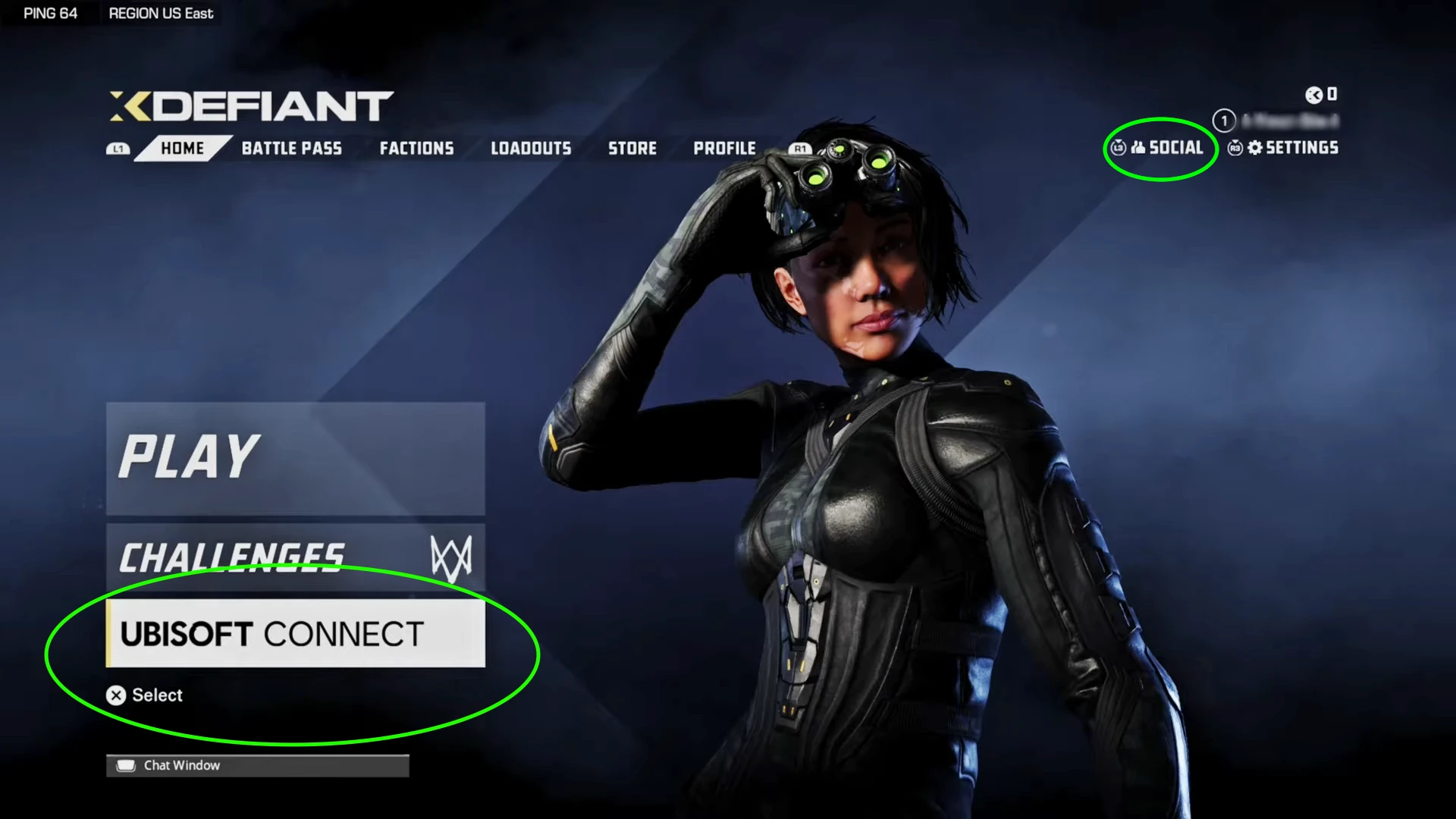
- Launch XDefiant and open the main menu.
- Navigate to the Social tab (usually top-right corner).
- Click the Ubisoft Connect button (a platform that connects you with Ubisoft games and friends).
- Search for your friend’s username and click “Add.”
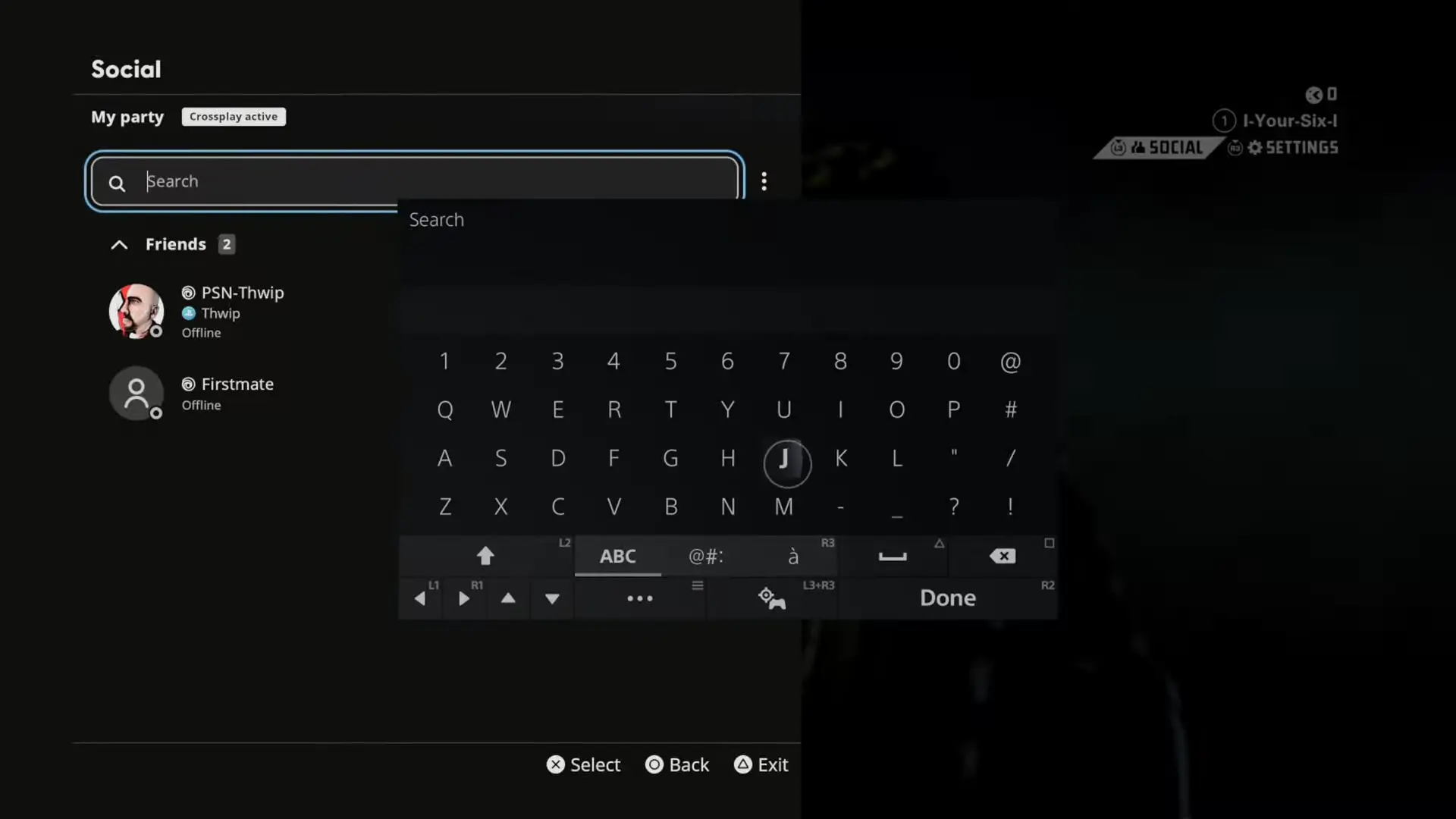
Screengrab Courtesy of YourSixGaming via YouTube
- Alternatively, you can add friends through their Ubisoft Connect profile URL (if available).
Inviting Friends
- Follow steps 1-3 from adding friends.
- Once in Ubisoft Connect, you’ll see your friend list.
- Find the friend you want to invite and click the “Invite” button next to their name.
Crossplay
XDefiant supports crossplay, so you can team up with friends regardless of their platform. Make sure everyone has it enabled:
- Open the main menu and go to Settings.
- Navigate to the Matchmaking & Account tab.
- Find the Crossplay option and turn it on.
Now you’re ready to conquer the battlefield with your friends and dominate the competition in XDefiant’s intense battles!
Download XDefiant
Forum / Community

Jhimlerry Lacap
Loves to play DotA, LoL, and ML. Finished almost all FF series and enjoys playing MMORPG. Jhimlerry is also a former vocalist/bassist of a local band in the Philippines.
View all articlesRelated Articles
View All
GameMaker Makes GMRT Free for Commercial Games on PC and More in 2027
Beginning January 1, 2027, independent creators will be able to release commercially distributed games built with GameMaker’s GMRT runtime across...
Final Fantasy Resonance’s $49.99 HD-2D Launch Bets on Turn-Based RPGs
Final Fantasy once made every turn feel consequential, and Square Enix is giving that rhythm another chance to shine. Launched...

STANFEST 2026 Set to Bring Gaming, Esports and Creators to Bengaluru
Esports squads, digital creators, and fans who usually meet online will gather on a Bengaluru campus on October 31. STANFEST...