
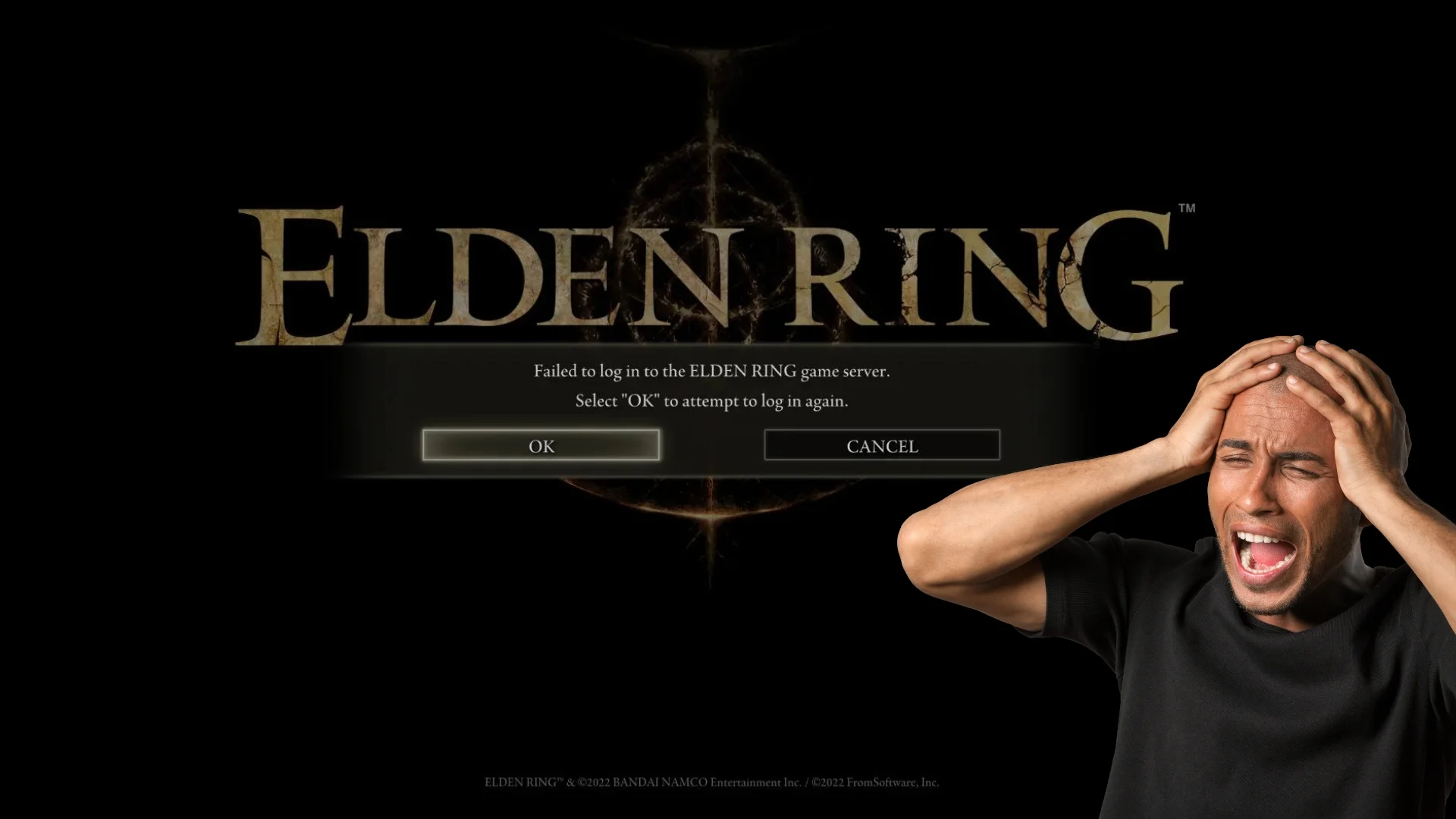
Elden Ring: “Failed to Login to Game Server” Error After Shadow of the Erdtree Update
If you’ve been getting that dreaded “Failed to login to game server” error on your PS5 after the epic Shadow of the Erdtree update, you’re not alone. It’s been plaguing a bunch of players, keeping them from jumping into the new content and online shenanigans. Let’s break down the possible causes and give you some troubleshooting tips to get you back in the game.
“Failed to Login”
Basically, this error means your PS5 and the Elden Ring servers aren’t talking to each other. A bunch of things could be causing this communication breakdown, like:
- FromSoftware likes to tinker with the servers, especially after big updates like Shadow of the Erdtree. Sometimes they need to take them offline for a bit, which means we can’t connect.
- If your internet is acting up, like with a weak signal or a firewall blocking things, your PS5 might not be able to reach the servers.
- Sometimes other stuff running on your PS5 or network devices can get in the way and mess with Elden Ring’s connection.
- It’s rare, but sometimes your game files can get messed up and cause login problems.
Troubleshooting
If you’re staring down that frustrating error message, don’t panic. Here are some things you can try:
- Check Server Status: Before you start messing with settings, make sure the servers aren’t down for maintenance or having a meltdown. Check the official Elden Ring social media, community forums, or websites that track server status.
- Restart Everything: Sometimes, a simple restart can work wonders. Reboot your PS5, your router, and your modem to see if that fixes the connection.
- Test Your Internet: Make sure your internet is working properly. Try loading a website or checking other online games to see if it’s a widespread issue or just you.
- Update Everything: Check for updates for your PS5 system software and Elden Ring itself. Updates often include bug fixes that could solve your problem.
- Tweak Network Settings: If you’ve got a strict firewall or other network settings, try disabling them temporarily to see if they’re the culprit.
- Rebuild Database (PS5): This is a bit more technical, but you can try rebuilding your PS5‘s database in Safe Mode. It might fix any corrupted data that is causing the issue.
- Reinstall the Game: If all else fails, a fresh install of Elden Ring might do the trick. It’ll replace any wonky files and hopefully clear up the login error.
Additional Tips:
Clearing your PS5‘s cache can sometimes help with connection issues. If you’ve tried everything and you’re still stuck, reach out to Bandai Namco or FromSoftware support.
Getting that “Failed to login” error is a bummer, especially after a big update like Shadow of the Erdtree. But with a little patience and these troubleshooting tips, you should be back to exploring the Lands Between in no time. And hey, if you need some moral support or more troubleshooting ideas, the Elden Ring community is always there to lend a hand.

Marcus Kade
Marcus Kade is Managing Editor at Spiel Times, covering breaking gaming news with a focus on the industry's business side. When not writing, he's probably losing a co-op game to his partner.
View all articlesRelated Articles
View All
Elden Ring Movie Reportedly Wraps Filming, March 2028 Release Date Set
Gamers have a major update from the Lands Between: A24’s live-action Elden Ring movie has reportedly finished filming. The production...
All Crystal Tear locations in Elden Ring Shadow of the Erdtree
Eight new Crystal Tears are present in the Elden Ring expansion Shadow of the Erdtree. You can earn these tears...
How to two hand in Elden Ring Shadow of the Erdtree
Elden Ring Shadow of the Erdtree expansion offers a variety of combat options including the ability to two-hand weapons. This...