
Rogue Company: How To Fix Server Login Issues – Complete Guide
Rogue Company is Hi-Rez Studios’ newest multiplayer team shooter. The game is really fun to play and it has great potential. Players, however, are facing several login issues right now. Here’s how to fix login issues, in our complete Rogue Company Login guide.
How To Login To Rogue Company When Server is Under Maintenance
Sometimes, when you try to log in, the game shows that servers are under maintenance. That is, however, not the case, most of the times. It’s sometimes just a bug that can be easily fixed. Here’s to fix it –
First, go to Rogue Company’s Twitter page and check if there’s server maintenance going on. If not, here’s how to fix the issue –
PC
- Close Rogue Company
- Close Epic Games Launcher
- Try to shut down all application operations related to Rogue Company and Epic Games Store from the Task Manager
- Disconnect your internet
- Reconnect
- Start Epic Games Launcher
- Start Rogue Company
- The game should work fine now
If it still doesn’t work, just restart your PC and internet (router) once and you’ll be set.
PS4
- Close Rogue Company
- Disconnect your internet completely
- Reconfigure and connect to the internet
- Start the game and it should work fine
If the problem still persists, restart your PS4 and the game should work fine.
Xbox One
- Close Rogue Company
- Disconnect your internet completely
- Reconfigure and connect to the internet
- Start the game and it should work fine
If the problem still persists, restart your Xbox One and the game should work fine.
Nintendo Switch
- Close Rogue Company
- Disconnect your internet and reconnect
- Start the game and it should work fine
If there’s still a problem, restart your Nintendo Switch once and the game should work fine.
Force Log Out
After a match, the game can force log out. There’s nothing to worry about. Just try to re-login and the game should get you back in. If not, close the game once, disconnect and reconnect to the internet, start the game, and it should be working fine.
Other Issues
For any other issues, comment down below and we’ll try to help you. Currently, those are the two major issues we’ve found during our playthrough of the game.
Make sure you subscribe to our push-notifications and never miss an update from the world of video games. Until next time, Stay Safe, Respect All Lives, and Happy Gaming!
Leave a Comment

Pingal
A gaming aficionado and an avid Dota 2 player, Pingal is the owner of Spiel Times and the main coordinator of the News section.
View all articles
Dell Gaming Laptops: The Smart Choice. Why the G-Series is the Wise Gamer’s Secret Weapon
We are living in a golden age of PC gaming. Games are more beautiful, more complex, and more immersive than...

Sims Rival InZOI Announces Official Release Date After Unexpected Delay
The highly anticipated life simulation game InZOI has officially announced its Early Access release date after an unexpected delay, much...
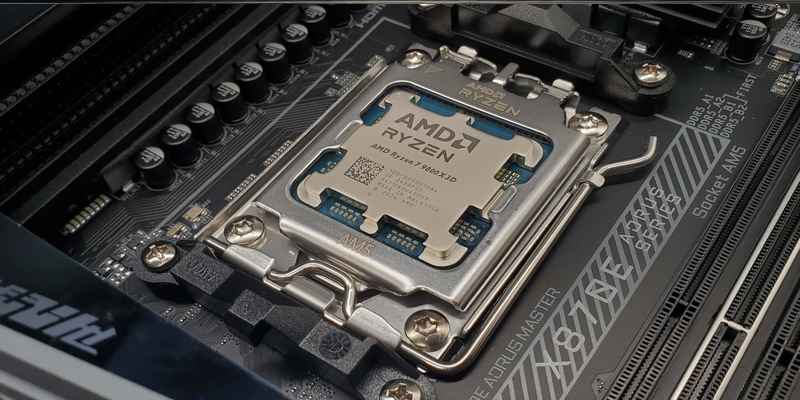
AMD Ryzen 7 9800X3D Sells Out as Scalpers Surge Prices to $999
The AMD Ryzen 7 9800X3D, the latest in AMD’s lineup of high-performance gaming CPUs, has sparked a frenzy among enthusiasts...
Hi I got a download code from on of my streaming friends and I have downloaded it and linked my epic games account and when I open the game it says logging in for ages then says something about information submitted invalid please verify user name and password and won’t let me on the game I’ve got no idea
It might have been during a server maintenance period. Try it again now, servers are stable.
Any luck? It ain’t working for me neither. I got the code the same way. Any Let me know please if you were able to resolve it.
Tried making another account and using a different code and still does the same thing
Wow. That sucks. Guess, we are stuck?
hey man i just got it to work seconds ago. check out the latest comment i posted in here
I just PAID 15 bucks for the game and once completed download tried to open and it is stuck on the title screen
There are some server issues going on. I’m being able to login and play just fine. Maybe try reinstalling the game.
have you found a fix for this yet?? I have a friend with a similar issue and cant find anything.
Any luck? Having same issue
Anyone had the 1,000,018,808 code? ive tried everything, even reinstalling and this pos still says cant connect to server
any luck did you find something ? my friend having same issue
I don’t know if it’s just me but the game use to work just fine but Everytime I try to join a match it loads for a while and just brings me back to the main lobby I try to select the rejoin match but nothing happens I literally can’t play anything including tutorials how do I fix that
After installing the game and then installing the anti cheat software when I hit finish my pc shuts off. When I start it back up it gives me an option to repair the anti cheat software which I selected and then when I selected finish again the game began to load but then mid way through the loading screen my pc just shut down again
I JUST FIGURED IT OUT!
1) I disabled my anti virus. just fully uninstalled that shit
2) I disabled the overlays on Discord. In the settings you’ll see it on the top.
3) I reset my computer and when it came back up I opened up the game and it FINALLY WORKED!!
i downloaded the game and when i open the game it make my pc restart by him self and the game dosent work
My pc shuts off when trying to open the game for some reason but not with any other game at all
Mine keeps saying joining match but doesn’t join one
I play on PC and my Epic Games usernames shows above character in lobby but when I join a game my name changes to my PSN name connected to my acccount. I also own the game on Xbox and when I get on there it shows my PSN name on XBOX… what is going on?
There has been connection issues with this game since wensday I’ve tried the suggestions that you guys posted or is it something more????
the game was pretty good and i enjoyed it very well until there came up with an issue of logging in. Currently when i open this game, it shows logging in for a long time and then i cant login as it shows invalid email and password.
I have paid for this on PSN and I cant play it. Have tried all of the above. Nothing works, Nothing! When will this be fixed??
I can’t get into games when I find a game it just does this losing thing and send me back to the main menus I’ve done everything even deleted and redone loaded the game idk what to do I just wanna play game
My game will say loading player data for about 5 minuets finally load up but once in it can’t do anything
I can’t see my profile can’t see my rouges can’t play can’t inv friends can’t do anything
Any know a fix
I have a problem with my account when me and my team are loading into a game, it dashboards me and when I reoopen it, it tries to force rejoin match but I have not been able rejoin that match successfully one time. Ill usually be able to play one game and then I have that problem. I’ve been getting away with switching accounts between games but now it’s happening to my second acct the first match in and is really annoying. I love the game but hate how im the only one this happens to.
failed to send login request 3102. how to fix it .i cant login game 😥
Hello, I have been playing rogue company for a long time on my pc. All of a sudden my game will not load up at all on epic games or steam. It gives me the same error code every time I try to play and it has been over a week now. The error code I get is “10011” I have occasionally got error codes 25 and 29 but over all it has been 10011. If you could help me in anyway that would be amazing. Thank you.
Hi Jordan! Can you try the steps below for error 10011?
Right-click on your taskbar and click task manager.
Go to the Services tab and find EasyAntiCheat.
Right-click EasyAntiCheat and select Open Services.
Find EasyAntiCheat then right-click.
Select Start.
This will give you an alert message saying the program started and then stopped.
Many players fixed the error with this method. Let us know if this helped!
So every time I’m done with a match, even if I don’t use the A3 Salvo it still comes up. I don’t know how to fix this, even if it leveled up it won’t fix it.
From Singapore: Usually I try Rogue Company on different computers with fresh installation of Windows 10, the it will never be able to log in, so I download Valorant and play it, Valorant will automatically config my settings so I can log into Rogue Company after that, works on all desktop and laptops. 2021 Dec
THIS IS THE FIX GUYS !!! At least it worked for me not like anything else.
I re-installed my OS because of new pc parts and then tried to play Rogue Company, but failed to send login request 3102 error kept popping up, everytime I launched the game. Nothing helped but I did what Light adviced, and it actually worked for me too. I have no idea why but I installed Valorant which I never played before went through the tutorial. Then started rogue company and I logged in without any issue. Idk why tho. Thanks Light.
Hello! I need your help. After the last game update I can not log into the game. Constantly writes supposedly anticheat is not running. Maybe you can tell me what the problem may be?
It keeps popping up. ( Failed to initialize the game launcher
rogue company not able to login :
Authentication failed 1,002
i tried to link it to steam still the same give access from windows defender private and public
restarted the router and the pc, but still not working.
Mine keeps saying can’t login error code 1002……..
Why can’t I log In saying under maintenance