
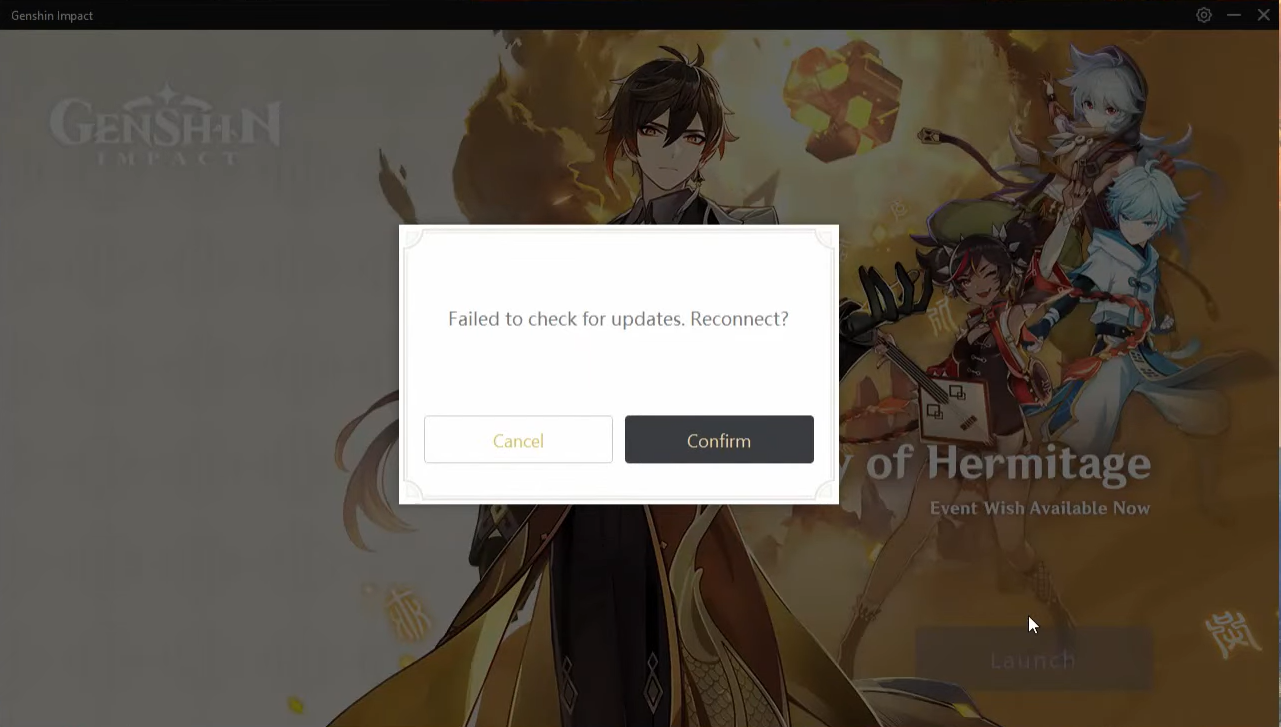
Genshin Impact: Failed To Check For Updates Error, How To Fix
If you want to play Genshin Impact and notice the launcher’s “Launch” button is grayed out, that’s the first sign that the Genshin Impact “failed to check for updates” error could be in motion.
Failed To Check For Updates Error
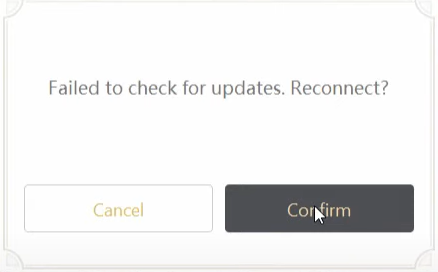
Screengrab Courtesy of Dan Sikelia via YouTube
- First of all, make sure you connect to the internet. The first troubleshooting step is this. If you’re reading this on the PC you’re trying to launch the game on, safe to say you’re online.
- To see if the game’s launcher can resolve itself, hit the Settings gear icon on the top right of the launcher. Next is to navigate to Version Info where you’ll see an option to Check for updates.
- If you click Check for Updates and nothing happens, press alt-tab to see if any error dialogs have shown. There could be a slew of error messages stating that Genshin Impact “failed to check for updates.” It’s unclear why this happens, but the solution is straightforward.
- Select the Open file location from the context menu of the Genshin Impact launcher, which is in the start menu. Locate and open the folder titled Genshin Impact Game once you’re in the game’s installation location.
- The actual game executable is here (the launcher opens after it checks for updates and launch). The game will start if you launch the GenshinImpact.exe executable select Run as Administrator from the right-click menu.
- During the intro, when the door is opening, the game will automatically log in and check for updates. It should apply the files below if you were lacking an update.
If you have any questions regarding Genshin Impact, feel free to ask in the comments below. For more content, stay with us, here at Spiel Times.
Make sure you also subscribe to our push-notifications and never miss an update from the world of video games. Follow us on Twitter @spieltimes for the latest PS5 restock and drop. Until next time, Stay Safe and Happy Gaming!
Leave a Comment

Jhimlerry Lacap
Loves to play DotA, LoL, and ML. Finished almost all FF series and enjoys playing MMORPG. Jhimlerry is also a former vocalist/bassist of a local band in the Philippines.
View all articlesRelated Articles
View All
BioWare’s 31-Year Journey Ends as EA Cancels the Next Mass Effect Game
BioWare’s closure marks the end of a studio that helped shape modern role-playing games. On October 21, 2026, Electronic Arts...
Squadron 42 Reveals New Gameplay and PC Requirements Ahead of 2027 Launch
After more than a decade of development, one of the most ambitious space adventures is moving closer to release. Cloud...

GTA 6 on Switch 2? Nintendo Says It’s Rockstar and Take-Two’s Call
Grand Theft Auto 6 is heading toward its November 19 launch, yet one question keeps coming up: could Vice City...
um may be it was a mistake but now i cant even get the game . I changed the pathway of the game and lately when i started it it showed get game when i clicked on it says checking on updated and afterwards says failed to chech updates nothing is happening im stuck .PLS help